


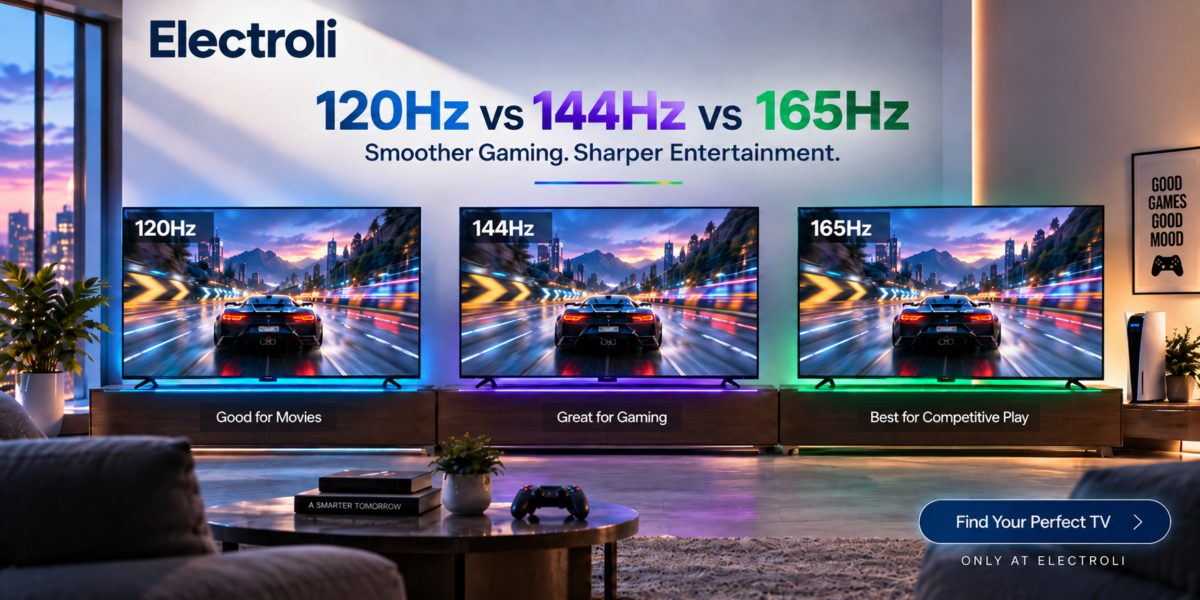
You’re comparing two TVs. One says 4K 120Hz. Another says 4K 144Hz. And then a newer gaming TV advertises 165Hz Gaming.
Naturally, the bigger number looks better.
But does a 165Hz TV actually look better than a 120Hz TV when watching Netflix or movies?
And if you’re buying a TV for a PlayStation 5, Xbox or gaming PC, how much should refresh rate influence your decision?
The answer depends heavily on what you’re connecting to the TV.
Modern mid- to high-end TVs commonly offer 120Hz panels, while some newer gaming-oriented TVs extend support to 144Hz and 165Hz. The extra refresh rate can matter for PC gaming, but refresh rate alone doesn’t determine overall picture or gaming quality.
Let’s separate the useful technology from the marketing numbers.
Quick Answer: 120Hz vs 144Hz vs 165Hz
| Refresh Rate | Best Suited For | Main Benefit |
| 120Hz | Movies + consoles + general TV use | Excellent all-round choice |
| 144Hz | Gaming PC + TV hybrid | Extra headroom above 120Hz |
| 165Hz | High-performance PC gaming | Higher maximum PC gaming refresh |
| 60Hz | Normal TV/video + basic gaming | Lower-cost everyday option |
For most TV buyers: 120Hz is already a major step up.
For console gamers: 120Hz is generally the important target.
For gaming-PC users: 144Hz and 165Hz become more relevant.
First: What Does Hz Actually Mean?
Refresh rate tells you how many times a display can refresh its image each second.
60Hz = 60 refreshes per second | 120Hz = 120 | 144Hz = 144 | 165Hz = 165
Higher refresh rates reduce the amount of time each refresh remains on screen and can make compatible high-frame-rate content appear smoother and more responsive.
| Refresh Rate | Approx. Time per Refresh |
| 60Hz | 16.67 ms |
| 120Hz | 8.33 ms |
| 144Hz | 6.94 ms |
| 165Hz | 6.06 ms |
The jump from 60Hz to 120Hz is much larger than the smaller steps from 120Hz to 144Hz and 165Hz.
Refresh Rate and FPS Are Not the Same Thing
Refresh Rate (Hz) describes what the display can show. Frame Rate (FPS) describes how many frames the console, PC or other source is producing.
A 165Hz TV does not magically turn a 30 fps game into a native 165 fps game.
SOURCE PRODUCES FRAMES → TV DISPLAYS FRAMES
1. Is 120Hz Enough for a TV?
For a large number of buyers, yes.
120Hz provides an excellent balance between movie playback, console gaming and general motion performance.
A good 120Hz TV can be particularly attractive for PS5, PS5 Pro, Xbox Series X|S, sports, movies, streaming, general TV use and PC gaming up to 120Hz.
Modern consoles can output supported games at up to 120 fps, making 120Hz a meaningful target for console gaming.
2. What Does 144Hz Add?
144Hz has traditionally been strongly associated with PC gaming monitors, but it is now appearing on more TVs.
Compared with 120Hz, 144Hz allows the display to accept and show a higher maximum frame rate from a compatible source.
That can matter if you connect a sufficiently powerful gaming PC.
Think of it as: 120Hz = excellent mainstream high-refresh TV; 144Hz = extra PC-gaming capability.
3. What About 165Hz TVs?
165Hz pushes the same concept further. The TV can refresh up to 165 times per second when a compatible source, resolution and input mode support it.
This is primarily useful for high-frame-rate PC gaming.
Buying a 165Hz TV doesn’t mean you’ll constantly see 165 fps. Your PC needs to render the game at sufficiently high frame rates.
That is easier in competitive and esports titles and harder in demanding AAA games at high resolution and maximum settings.
4. Does 144Hz or 165Hz Make Movies Look Better?
A movie isn’t normally delivered at 120, 144 or 165 frames per second. Film content is commonly associated with much lower frame rates, especially 24 fps.
Therefore, 165Hz does not mean a movie becomes a native 165 fps movie.
For movie watching, contrast, black levels, HDR performance, brightness, color accuracy, local dimming, OLED pixel control, image processing and motion handling can matter much more.
Don’t assume a weaker 165Hz TV automatically provides a better movie experience than an excellent 120Hz model.
5. Why 120Hz Works Particularly Well With 24 fps Movies
120 divides evenly by 24: 120 ÷ 24 = 5.
That means each frame of 24 fps content can theoretically be displayed for an equal number of refresh cycles when the TV handles the signal appropriately.
You don’t need 144Hz or 165Hz just to enjoy movies. A good 120Hz television is already very well suited to film and mixed entertainment use.
6. PS5 Gaming: Do You Need More Than 120Hz?
For PlayStation users, the answer becomes much easier.
Modern PlayStation hardware can make use of 4K at 120Hz in compatible scenarios.
A 144Hz or 165Hz TV may support those higher rates, but the console does not suddenly output games at 144 or 165 fps.
The extra refresh-rate ceiling is primarily valuable when another source – particularly a PC – can use it.
7. Xbox: Is 144Hz or 165Hz Necessary?
The same basic principle applies to Xbox Series X|S.
Current consoles can offer gaming up to 120 fps in supported titles, making a quality 120Hz TV the key high-refresh target for console use.
A 144Hz or 165Hz television may still add PC-gaming capability, but don’t buy it specifically because you expect Xbox games to run at 165 fps.
8. PC Gaming Is Where 144Hz and 165Hz Become Interesting
A gaming PC isn’t necessarily restricted to the console’s 120 fps ceiling.
Depending on GPU, CPU, resolution, graphics settings, game engine, upscaling, frame generation and game type, a PC may produce significantly higher frame rates.
This is where 120Hz → 144Hz → 165Hz can become genuinely useful.
Example: Competitive Gaming
Imagine a powerful gaming PC running a competitive title at 150 fps.
A 120Hz TV cannot display all 150 unique frames within a second. A 144Hz display can make use of up to 144 refreshes, while a 165Hz display provides enough refresh-rate headroom for up to 165.
This is why higher-refresh TVs make the most sense when the TV is also being used as a large gaming monitor.
9. Don’t Ignore VRR
Refresh rate is only half of the gaming story.
Variable Refresh Rate (VRR) allows a compatible TV to dynamically adjust its refresh rate to match the source more closely, helping reduce visible tearing and stutter when game frame rates fluctuate.
For gaming, a good VRR implementation can matter more than simply choosing the largest Hz number.
10. What Is Screen Tearing?
Screen tearing can occur when parts of different frames become visible at once because the display and graphics source are not synchronized.
VRR is designed to synchronize the display more closely with the gaming source and reduce tearing and related motion problems.
So when buying a gaming TV, don’t ask only: “Kitne Hz hain?” Also ask: “VRR support hai?”
11. HDMI 2.1 Matters Too
You may buy a 120Hz, 144Hz or 165Hz TV, but you also need the appropriate connection to deliver the desired resolution and refresh rate.
HDMI 2.1 introduced higher-bandwidth capabilities including 4K at 120Hz, alongside gaming-related features such as VRR and Auto Low Latency Mode.
For modern gaming TVs, check HDMI capability, 4K 120Hz support, VRR, ALLM, number of high-bandwidth HDMI ports and supported PC refresh rates.
Don’t assume every HDMI port necessarily provides the same capability.
12. Native Refresh Rate vs Marketing Refresh Rate
Manufacturers sometimes advertise motion-related numbers that can look like refresh rates but are actually branding for motion-processing technologies.
What you really want to know is the TV’s native panel refresh rate and which refresh rates it can actually accept from an external source.
A marketing label such as Motion 240 does not necessarily mean a native 240Hz panel.
13. A 165Hz TV Can Still Have Worse Motion Than a 120Hz TV
Refresh rate isn’t the only thing determining motion quality. Pixel response time also matters.
A display with a high refresh rate but slow pixel transitions can still show visible blur or smearing.
HIGH Hz ≠ AUTOMATICALLY PERFECT MOTION
This is particularly relevant when comparing different panel technologies.
14. Input Lag Matters for Gaming
Input lag is the delay between your action and the result appearing on the screen.
For example: Press controller button → TV shows action.
A gaming TV should ideally combine high refresh rate, low input lag, fast response time and VRR.
That’s why the gaming experience can’t be judged by Hz alone.
15. Game Mode Can Matter More Than You Think
Modern TVs perform a lot of image processing, which can improve upscaling, noise reduction, motion, color and sharpness – but processing takes time.
Gaming modes generally reduce unnecessary processing to improve responsiveness.
Many modern TVs also support ALLM, which can automatically switch to an appropriate low-latency mode when a compatible gaming device is detected.
For gaming, Game Mode can sometimes matter more than the difference between 144Hz and 165Hz.
16. What About Sports?
Sports sit somewhere between movies and gaming.
Football, cricket, racing and other fast-moving content benefit from strong motion handling, and a 120Hz television can provide a good foundation.
But broadcast frame rate does not become 165 fps simply because you own a 165Hz TV.
Picture processing, response time and source quality remain important.
17. OLED vs Mini-LED: Does Refresh Rate Change the Answer?
Yes, because panel technology also affects motion and picture quality.
An OLED’s very fast pixel response can produce exceptionally clear motion. A Mini-LED LCD may offer much higher brightness and strong HDR performance, depending on the model.
Choosing between a 120Hz OLED and a 165Hz Mini-LED cannot be decided from refresh rate alone.Consider gaming platform, room brightness, movie usage, HDR priorities, PC gaming, screen size and price.
120Hz vs 144Hz vs 165Hz – Real-World Comparison
| Usage | 120Hz | 144Hz | 165Hz |
| Movies | Excellent | Excellent | Excellent |
| Netflix/Streaming | Excellent | Excellent | Excellent |
| Sports | Excellent | Excellent | Excellent |
| PS5 | Excellent fit | Extra Hz mostly unused | Extra Hz mostly unused |
| Xbox Series X|S | Excellent fit | Extra Hz mostly unused | Extra Hz mostly unused |
| Casual PC Gaming | Excellent | Excellent | Excellent |
| High-FPS PC Gaming | Very Good | Better suited | Best headroom of these three |
| Competitive PC Gaming | Good | Very Good | Better ceiling |
| Everyday TV | Excellent | Excellent | Excellent |
This table describes refresh-rate capability only. It does not mean a 165Hz TV automatically has better overall picture quality.
So Who Should Buy 120Hz?
- Movies
- Netflix
- YouTube
- Sports
- PS5
- Xbox
- Casual gaming
- Mixed family entertainment
For many buyers, 120Hz is the sweet spot because it provides high-refresh gaming without requiring you to pay specifically for PC-oriented refresh rates you may never use.
Who Should Consider 144Hz?
- You connect a gaming PC
- Your GPU can exceed 120 fps
- You play competitive games
- The TV will double as a large PC gaming display
- The 144Hz model doesn’t require a large price premium
Think of 144Hz as: 120Hz TV capability + extra PC gaming headroom.
Who Should Consider 165Hz?
- You own a powerful gaming PC
- You regularly exceed 120/144 fps
- You play fast competitive titles
- Low latency matters
- The TV supports a useful VRR range
- Its HDMI inputs can actually support the required signal
- The TV also performs well in picture-quality and response-time testing
Otherwise, the 165Hz badge may provide little everyday benefit.
What Should Pakistani TV Buyers Prioritize?
1. Panel Technology
OLED, Mini-LED, QLED/LCD and conventional LED TVs can behave very differently.
2. Picture Quality
Check contrast, black level, brightness and color.
3. Native Refresh Rate
Confirm whether the panel is actually 60Hz, 120Hz, 144Hz or another rate.
4. HDMI Capability
Especially important for consoles and PCs.
5. VRR
Very useful for gaming.
6. Input Lag
Important for responsiveness.
7. Response Time
Important for motion clarity.
8. HDR Performance
Important for movies and modern games.
9. Warranty & Local Support
Especially important for expensive televisions.
10. Price Difference
Don’t pay a large premium for 165Hz if you’ll only watch movies and use a PS5.
Gaming TV Buying Formula
PICTURE QUALITY → PANEL TYPE → 120Hz+ NATIVE REFRESH RATE → HDMI CAPABILITY → VRR → LOW INPUT LAG → FAST RESPONSE TIME → HDR PERFORMANCE → 144Hz / 165Hz IF YOUR PC CAN USE IT → PRICE
Not: “165Hz likha hai → sab se fast hai → sab se best TV hai.”
Don’t Pay for Refresh Rate You Can’t Use
Before buying, ask one simple question: What will I connect to this TV?
Mostly Movies + Streaming?
A good 120Hz TV is already more than enough from a maximum-refresh-rate perspective.
PS5 / Xbox?
Prioritize a good 120Hz TV with 4K 120Hz, VRR and low input lag. Current consoles don’t require 144Hz or 165Hz to reach their high-refresh capability.
Gaming PC?
Now 144Hz or 165Hz can become worthwhile.
Gaming PC + Console + Movies?
A quality 144Hz or 165Hz TV can provide flexibility – but don’t sacrifice picture quality simply to obtain the higher number.
AEO FAQs
1. Is 165Hz better than 144Hz on a TV?
165Hz provides a higher maximum refresh rate than 144Hz, which can be useful for high-frame-rate PC gaming. However, the difference is relatively small compared with the jump from 60Hz to 120Hz, and overall TV quality also depends on response time, input lag, VRR and picture quality.
2. Is 120Hz enough for PS5?
Yes. Modern PlayStation hardware supports gaming up to 120 fps in compatible titles, so a good 120Hz TV can make use of its current high-refresh output. HDMI capability, VRR and low input lag should also be considered.
3. Does a 165Hz TV make movies look better than 120Hz?
Not simply because it has a higher maximum refresh rate. Movie content normally runs at much lower frame rates, so picture quality, contrast, HDR, processing and motion handling are generally more important than choosing 165Hz over 120Hz specifically for films.
4. Is 144Hz worth it on a TV?
It can be worthwhile for PC gamers whose computers can produce more than 120 fps. For console-only gaming, movies and ordinary streaming, the advantage over a good 120Hz television is much smaller.
5. What is the best TV refresh rate for gaming?
For current consoles, 120Hz is an important target. For high-performance PC gaming, 144Hz or 165Hz can provide additional headroom. Regardless of maximum refresh rate, gamers should also check VRR, input lag, response time and supported HDMI modes.
Final Thoughts
So, does refresh rate really matter? Yes – but context matters more.
The jump from a traditional 60Hz television to a good 120Hz TV can be significant, particularly for high-frame-rate gaming.
Moving from 120Hz to 144Hz to 165Hz is more specialized.
For movies, streaming and current console gaming, you shouldn’t automatically pay more just because the box says 165Hz.
For a powerful gaming PC, however, those extra refresh rates can become genuinely useful.
The key is to stop asking: “Which TV has the highest Hz?” and start asking: “Can my content and gaming hardware actually use those Hz?”
That’s how you separate a useful upgrade from a specification you may never use.
Looking for a Gaming TV?
When comparing TVs on Electroli, look beyond the refresh-rate number. Compare panel technology, 4K 120Hz support, VRR, HDMI capability, HDR performance and overall picture quality before deciding.


 Account
 Categories
 Search
 Top
Top